
Text Repeater – Repeat Any Text, Word or Message Online for Free
Repeat It — Text Repeater Studio
Type your text, pick a style, and get a beautiful repeated result instantly.
Enter Text
Result
Text Repeater online does this job in seconds. This free online tool lets you type or paste any text and repeat it as many times as you want. There is no app to install and no sign-up needed. You just enter your text, choose how many times to repeat it, and copy the result.
People use a text repeater style for many reasons. Some want to send a fun message to a friend. Others need repeated text for testing a website or app. Some use it to fill a form or a document with sample content. Whatever the reason, this tool makes the job quick and easy. It works on any device, including phones, tablets, and computers, so you can use it at home, at school, or at work.
Typing the same word or line by hand takes time and can lead to mistakes. A missed letter or an extra space can throw off the whole list. This tool removes that risk. It builds a clean and accurate copy of your text every single time, no matter how long the list needs to be.
What Is a Text Repeater?
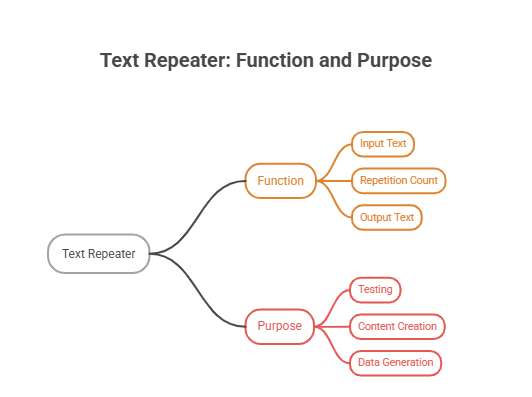
A text repeater is a simple online tool that copies a piece of text and repeats it over and over. You type a word, phrase, or full sentence, and the tool duplicates it based on the number you choose. Instead of copying and pasting text by hand many times, the tool does all the work for you.
This kind of Google text Repeater is also known as a word repeater, message repeater, or text duplicator. No matter the name, the idea stays the same. It saves time and removes the boring work of repeating text again and again. Many people search for ways to repeat text 100 times or even 1000 times, and a text repeater handles both with ease.
The tool is built to work with all kinds of text. You can repeat a single letter, a full sentence, a link, or even a string of numbers. It does not matter if the text is short or long. The output stays clean and ready to use right away. Because it runs online, you do not need to download or install anything on your phone or on any device. Text Repeater for PC is also availbale you can use it online
How to Use the Text Repeater
Using this repeater text tool takes only a few steps. You do not need any special skill or training. The steps below show how simple the process is, whether you use it on a phone browser or a desktop computer.
Enter Your Text
Start by typing or pasting the text you want to repeat into the input box. This can be a single word, a short phrase, an emoji, or a full sentence. There is no strict limit on what kind of text you can use. If you already have the text saved somewhere else, you can copy it and paste it straight into the box to save even more time.
Set Repeat Count
Next, choose how many times you want the text to repeat. You can pick a small number, like 10, or a large number, like 1000. Some people even repeat text 10,000 times for special projects. Just type the number into the count box. There is no need to guess, since you can change the number at any time and create the list again.
Copy or Download the Result
Once you set your text and count, click the button to generate the result. The tool will show your repeated text right away. You can then copy it with one click or download it as a file. This makes it easy to paste the text wherever you need it, whether that is a chat app, an email, or a document.
Repeat Text 100 Times, 1000 Times & More
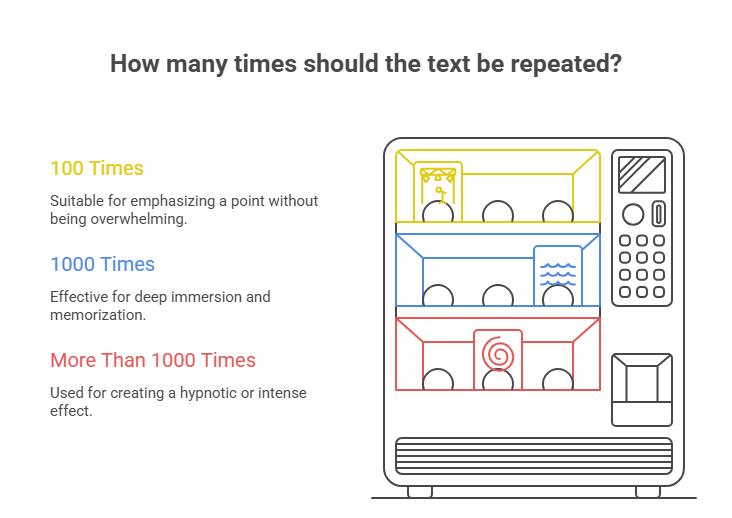
One of the top reasons people use this tool is to repeat text a set number of times. Many searches online ask how to repeat text generator 100 times or 1000 times. This tool answers both needs without any extra steps. It works the same way no matter how big or small the number is, so you never have to worry about the tool slowing down or making mistakes.
Repeat Text 100 Times
If you need a word or message repeated exactly 100 times, just set the count to 100. The tool will create the full list in less than a second. This is helpful for games, jokes, school tasks, or simple copy-paste projects where you need an exact count without counting by hand.
Text to Repeat 1000 Times
For bigger jobs, you can repeat text 1000 times just as fast. This is useful for testing text fields, creating long placeholder content, or having fun with friends online. The tool handles large numbers without slowing down, so you get your full list in a matter of seconds instead of minutes.
Repeat Text with Numbering
Sometimes you want each repeated line to have a number next to it, like a list. This text repeater can add numbering to each line if you choose that option. It helps keep long lists easy to read and count, which is useful when you need to track exactly how many lines you have created or share the list with someone else.
Text Repeater for WhatsApp & Messaging
Many people use as a chat repeater for apps like WhatsApp. Repeated messages can turn a normal chat into something fun and full of energy. Instead of typing “Happy Birthday” ten times by hand, you can create the full message in seconds and paste it straight into the chat window.
Repeat Messages on WhatsApp
You can copy a message, repeat it using this tool, and then paste the full result into WhatsApp. This works great for greetings, birthday wishes, or playful spam between friends. It saves you from typing the same line again and again, and it keeps the message looking neat and even.
Send the Same Text Multiple Times
Beyond WhatsApp, you can use repeated text on any messaging app. Just copy the result from this tool and paste it into your chat box. It is a fast way to send the same word or phrase many times in one message, whether you are using Telegram, Messenger, or a simple text message on your phone.
Text Repeater for Social Media
Social media posts often need extra flair. Repeated text can help your post or comment stand out from the crowd, catching the eye of anyone scrolling through a busy feed full of other posts.
Instagram Comments & Captions
On Instagram, repeated words or emojis can make a comment or caption more fun and eye-catching. For example, repeating a heart emoji or a short phrase adds energy to your post. This tool makes that easy to create in seconds, without you needing to tap the same emoji key over and over on your phone.
Snapchat & TikTok
The same idea works well on Snapchat,Telegram and TikTok. Creators often repeat a word, hashtag, or emoji to add style to their captions. A text repeater helps you build this kind of content fast, without manual typing, so you can spend more time creating and less time on small formatting tasks.
Why People Use a Text Repeater
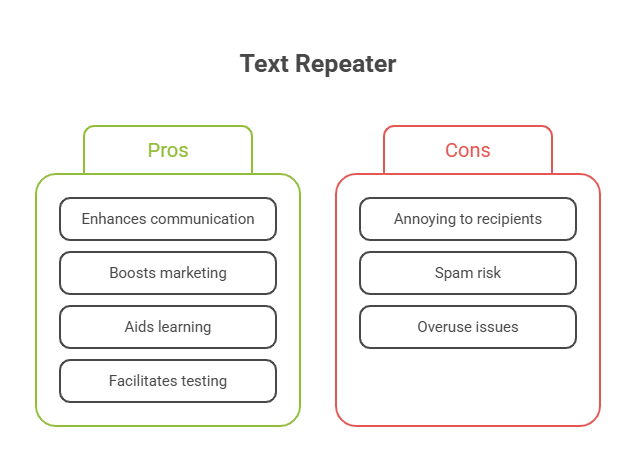
There are many reasons why this tool has become so popular. From fun to serious work, a text repeater fits many needs, and different people use it for very different goals.
Pranks & Fun Messages
Many users repeat text just for fun. Sending a silly message over and over to a friend can bring a good laugh. It is a light and harmless way to prank someone in a chat, and it often gets a quick reply once your friend notices the joke.
Content Creation & Testing
Writers, coders, and designers often need repeated text for testing layouts or checking how content looks on a page. This tool gives them quick sample text without needing to write anything new, which saves time during the early stages of building a website or app.
Placeholder / Dummy Text
Developers often need filler text to test how a website or app will look before real content is added. A text repeater can quickly create this kind of dummy text in any length needed, helping teams check spacing, font size, and layout before the final content is ready.
Popular Text Repeater Variants
This tool is flexible and works with more than plain words. Many users search for different kinds of repeaters based on what they want to duplicate, and this tool covers most of those needs in one simple place.
Emoji Repeater
You are not limited to letters and numbers. You can also repeat emojis using this same tool. This is a fun way to create eye-catching text for social posts or messages, and it works with almost any emoji your keyboard supports.
Word & Symbol Repeater
Beyond emojis, you can repeat single words, short phrases, or symbols like stars and dashes. This gives you full control over the style and look of your repeated text, whether you need something simple or something more decorative.
Other Free Text Utility Tools
Along with text repeating, there are other helpful text tools online. These include word counters, case converters, and text reversers. Together, these tools make it easier to edit, clean, and format text for any project, all without downloading software. Using a small set of trusted text tools can make daily writing and editing tasks much faster.
FAQs
Here are answers to common questions people ask about using a text repeater. These cover the most common doubts new users have before they try the tool for the first time.